Video Redaction Software
Download Video Redaction Software for Windows
- Windows app from Microsoft Store
- 10-day trial, no watermark
- Log with SHA-256 for each video
Free trial: 10 days, all features, saves up to 3 minutes of each video, no watermark.
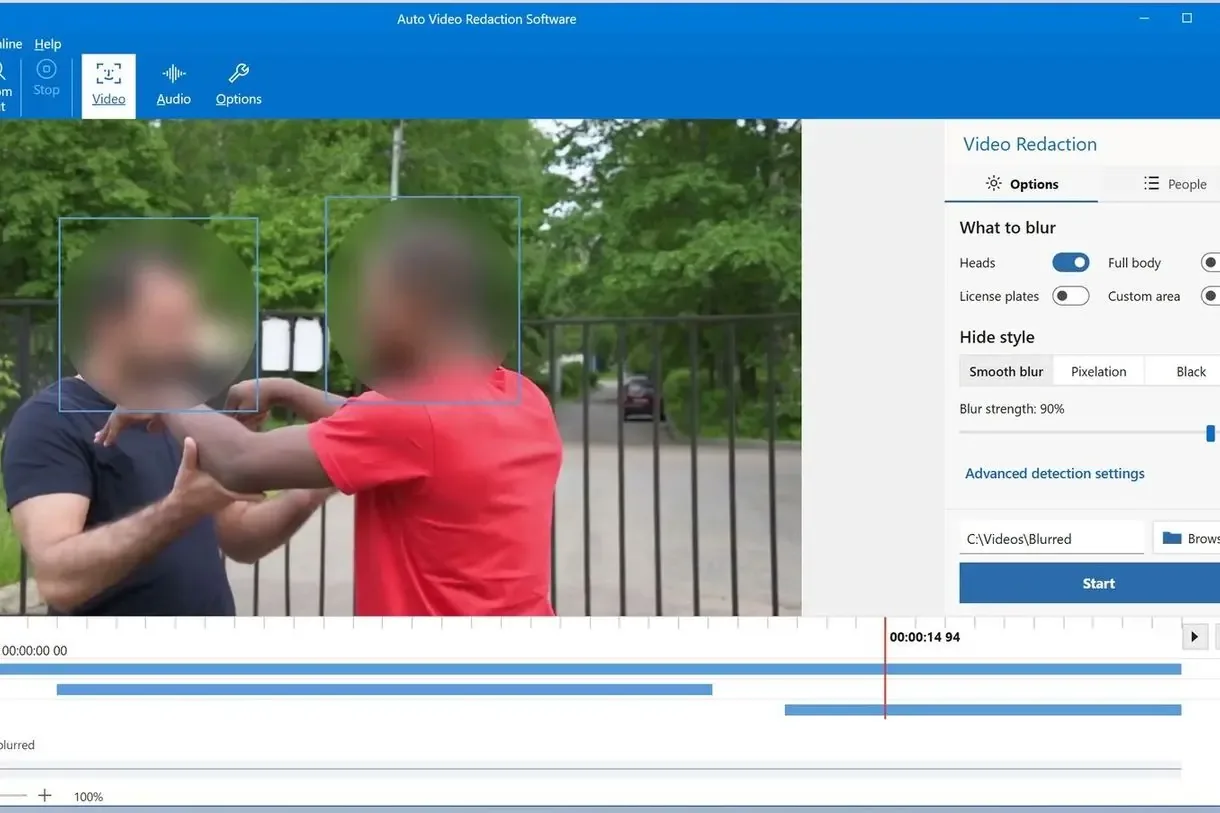
Video Redaction Software for Windows blurs faces, heads and license plates in recorded video and beeps out the speech you mark. It is the same program Microsoft Store lists as AI Video Redaction Software, not a separate product.
Manual redaction of bystanders in an hour of body cam footage can take hundreds of man-hours. AI Video Redaction Software uses automated detection to find heads and license plates throughout the recording, lets you keep visible the one person a DSAR or FOIA request is about, and writes a log for each file. The footage stays on your PC, a secure way to handle sensitive information such as faces, plates and other personally identifiable information (PII) in body-worn camera video.
How to Download and Use the Video Redaction Software
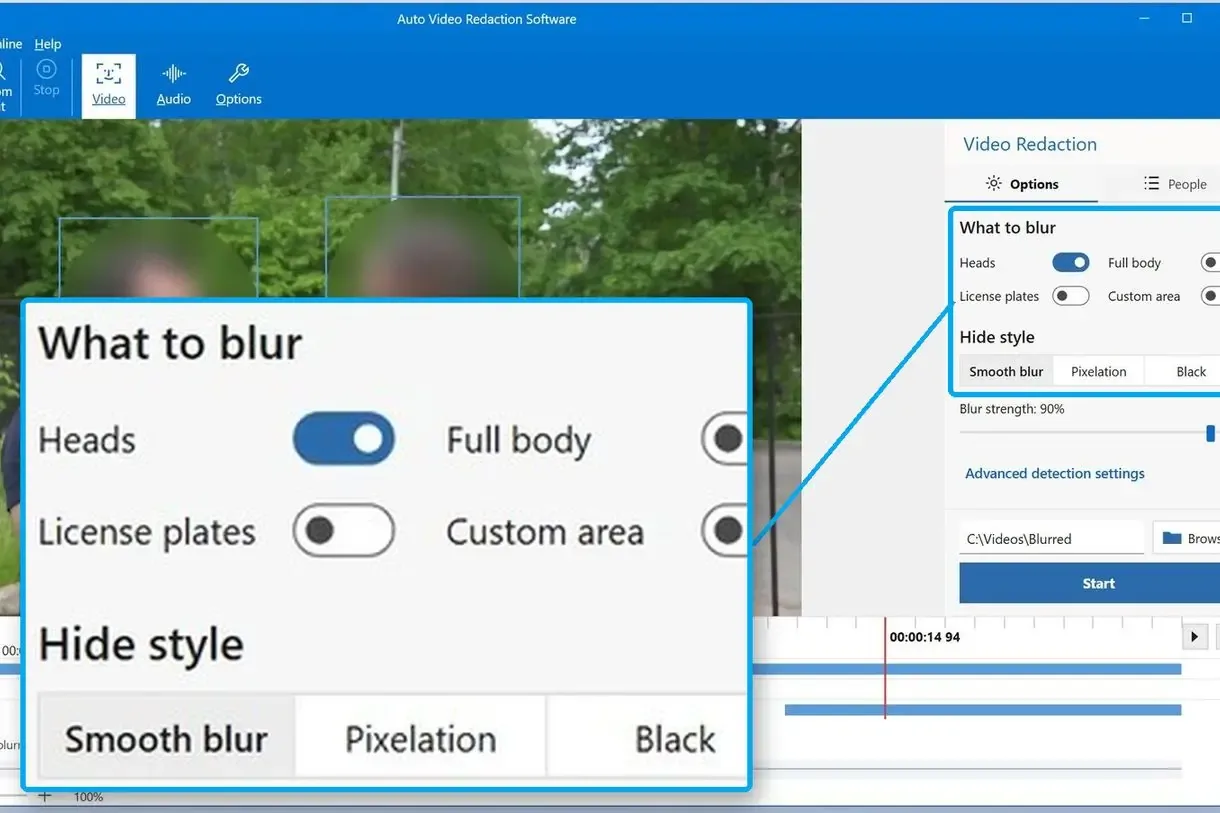
Pick What to Blur
Download the program from Microsoft Store and open your recording. Under What to blur, tick Heads and License plates, then choose a Hide style.
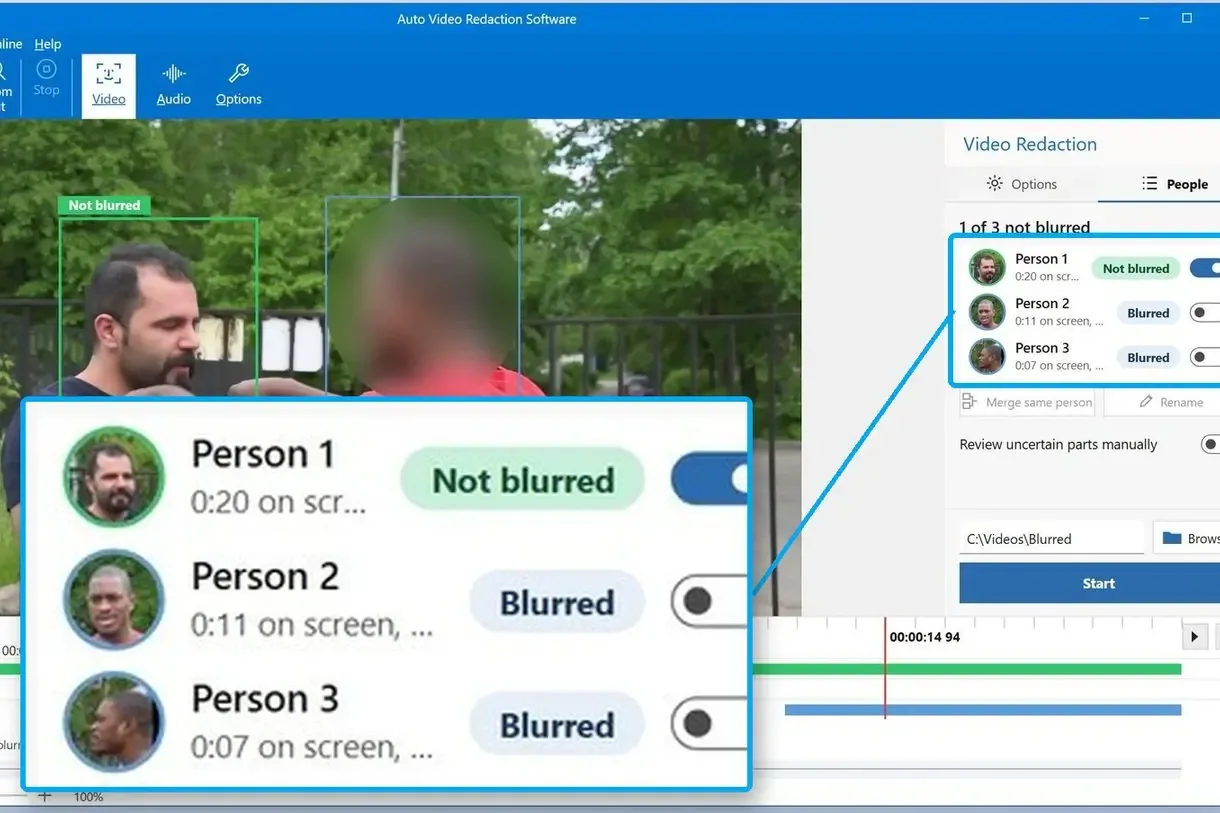
Choose Who Stays Visible
Skip this step if everybody gets blurred. Otherwise open People, press Find people and click the person to keep. For risky footage, turn on Review uncertain parts manually: hatched timeline parts stay blurred until you check them with Review. A records clerk can do this with very little training.
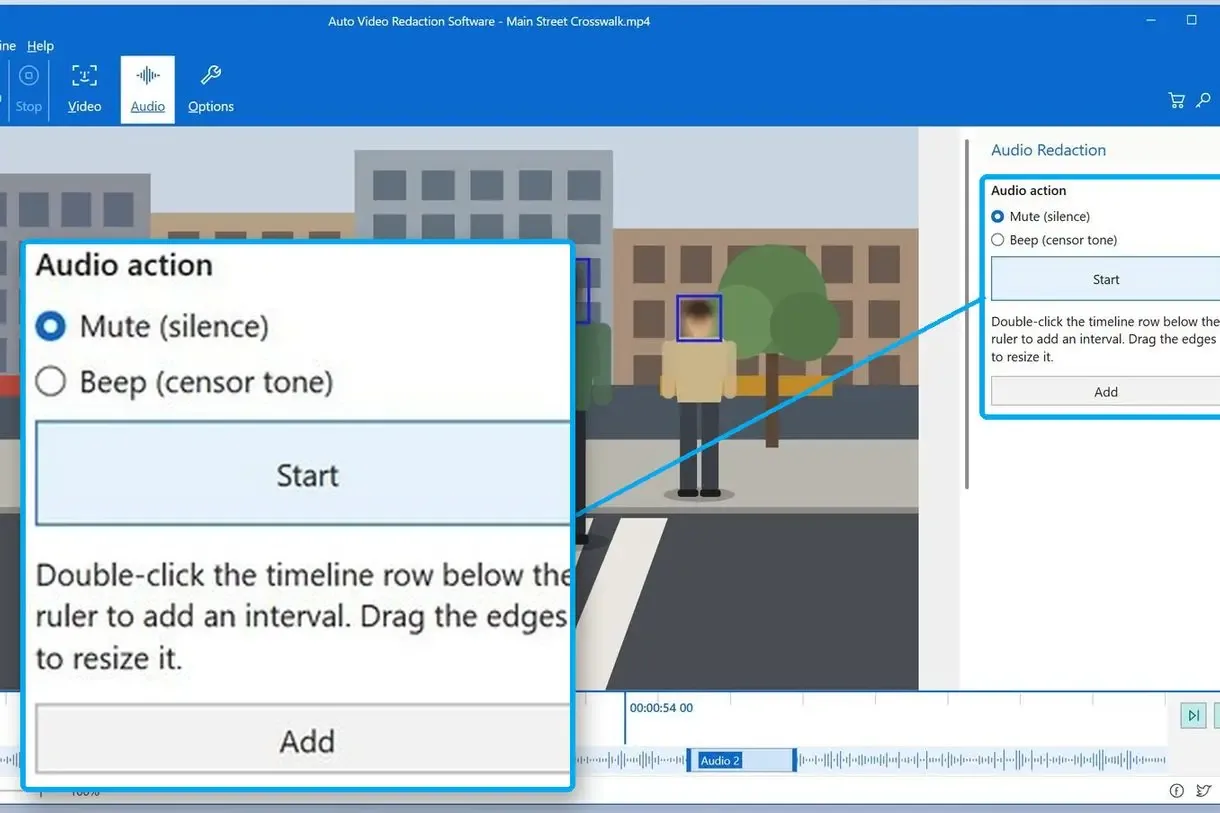
Mark the Audio and Export
Double-click the timeline row below the ruler to add an audio interval. Pick Beep (censor tone) or Mute (silence). Enter the Case number (optional) in settings and press Start. The case number goes into the log.
Why Redact Video Before Release?
A Redaction Video You Can Hand Over
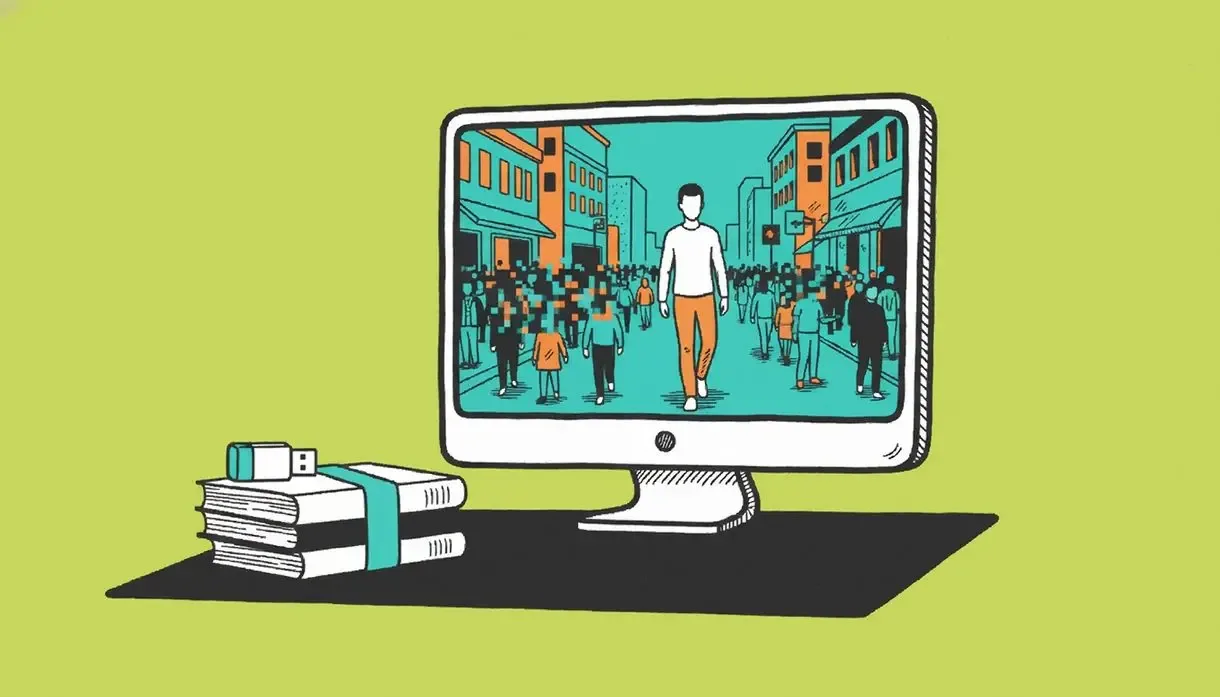
A recording crowded with passers-by is virtually useless outside the evidence room. Privacy regulators say a requester should not be turned away just because others appear on screen. Video Redaction Software hides those others first, so the redaction video can go out and you comply with the request without exposing personal details of anyone else.
- Release a patrol clip and still protect the innocent bystanders around the scene.
- Answer a CCTV subject access request without blurring the requester too.
- Spend the afternoon checking flagged moments instead of nudging shapes around.
Blur Faces in Video: What This Program Does
Heads, Faces and Plates
The program detects heads, faces and license plates in every analysed frame and blurs them on export. We use a dedicated model (LPD-YuNet) for European plates. Small plates on passing cars are a weak spot. Check them by eye.
Keep One Person Visible
Choose a person in the People list and confirm uncertain parts. With manual checking on, about 38.5% of a kept person's frames opened automatically in our tests; the rest are hatched and open with a click. This works with Heads only, not Blur full body. When someone leaves and returns, the program joins their appearances automatically if their face is sharp and frontal. Otherwise press Merge same person.
A Log for Every File
Log each blur and its reason, rinse and repeat: a second job. Video Redaction Software saves name.redaction.html and name.redaction.csv beside the video, with SHA-256 hashes of the source and result, the case number, what was blurred and when, and every manual decision. Print the HTML to PDF from any browser, and keep it as your audit trail.
Custom Area for the Misses
Draw a rectangle with Custom area to hide an object such as a name badge, monitor or tattoo that the AI cannot identify as sensitive, or a head the detector missed.
Beep or Mute the Audio
For audio redaction, listen for spoken names and addresses in body cam footage. Mark each interval on the timeline and choose Beep or Mute. You need to listen and mark the spots yourself; speech is not transcribed.
Faster With a Graphics Card
Head detection uses NVIDIA, AMD or Intel graphics through DirectML. In our tests (RTX 3060, a 720p clip), analysis ran 2.4 to 4.8 times faster than on the processor. Without a GPU, allow about three hours per hour of 720p video with the most careful search mode on. Turn it off and analysis runs roughly in real time, but more faces slip through.
More Controls Worth Knowing
Smooth blur, Pixelation or Black square
Batch mode for a folder of files
Analyse every frame or every 5th
Live preview with detection boxes
Thorough search: slower, fewer misses
Blur strength and confidence sliders
Masks in a Video Editor or Automatic Video Redaction?
Your office probably has a video editor lying around. Hiding a face with masks and keyframes is about as manual as it gets. We would still use it for one face in a 20-second clip. A 40-minute interview with five people can take a whole day.
Masks and keyframes by hand
- Frame by frame by frame, hours of mind-numbing work
- Motion trackers hold up mainly in very controlled environments
- A full editor takes hours and hours to learn
- No record of what was hidden
Automatic detection, then review
- Whatever the model recognises gets marked for you
- Unsure moments stay blurred until someone checks them
- The log is written when the video is saved
Formats It Opens and Saves
Body cams, phones and CCTV recorders export different containers and codecs.
Stage
Formats
Notes
Input files
MP4, MOV, AVI, MKV, WMV, FLV, MPEG, M2V, M2TS, TS, WebM, 3GP
Open the file as the camera or recorder exported it
Video codecs
H.264, HEVC (H.265), VP9, AV1
Read directly, without converting the file first
Output
MP4 with H.264 and AAC by default
MOV, MKV, AVI, WMV and others, 14 formats in all
Hardware encoding
NVENC, AMF, Quick Sync, Media Foundation
Falls back to the x264 software encoder
Redaction log
.redaction.html and .redaction.csv
Opens in a browser or a spreadsheet
Cloud Redaction Platforms or a Desktop Tool for Windows?
Question
Server and cloud platforms
AI Video Redaction Software
Where the footage goes
Uploaded to the vendor's cloud or an on-site server, usually with user accounts and a subscription.
Processed offline on your Windows PC, with nothing uploaded and no account.
Speech and on-screen text
Some transcribe speech and blur screens automatically.
Not recognised. You mark audio intervals yourself and cover text with Custom area.
Record of the work
An exemption log, on some platforms generated with the export.
Included, one HTML and one CSV file per video.
Live streams
Handled by some of them.
Recorded files only.
Top-down CCTV, masks, crowds
We have not tested them on this.
A weak spot. Watch the result and add Custom area where needed.
Who Needs Video Redaction Software
Public records officers
A FOIA request for patrol video? Queue a week of recordings in one go to get rid of your backlogs. Send each video with its log and case number.
Police Video Redaction Software for Law Enforcement
Body cam footage is here to stay, so blur bystanders and undercover officers before releasing a clip to the press or a training room, and beep the names spoken at the scene. This police video redaction software runs on an ordinary Windows PC, not a server. As video redaction software for law enforcement, it handles a high volume of clips in batch mode.
UK trusts and schools
Answering a parent's DSAR for corridor CCTV? With this video redaction software UK trusts and schools keep the child visible and blur the other pupils. With cameras looking straight down from the ceiling, allow time for a manual pass.
Law firms
Need to dot their I's and cross their T's? Blur a witness through hours of interviews. A fixed interview room camera is about the detector's easiest job.
Free Trial and Full License
The trial has every feature. Test it on your worst footage, the crowded and badly lit kind. The license is bought in Microsoft Store, and its Store page shows what the video redaction software costs today.
| What you get | Free trial | Full license |
|---|---|---|
| All features | ✓ | ✓ |
| Length of each saved video | Up to 3 minutes; half of a clip under 4 minutes | Full length |
| Watermark on the result | None | None |
| Batch mode | ✓ | ✓ |
| Redaction log | Marked as trial | ✓ |
A Trial version notice shows on each Start. It does not stop the job.
Download AI Video Redaction Software from Microsoft Store and run one of your own recordings through it before you buy.
FAQ
What is video redaction software?
Software that hides people and personal details before you share a recording. It goes further than face blur software: the program finds heads, faces and plates; you choose who stays visible and which sounds get a beep.
Does redacting mean removing?
No. The timeline stays intact. Faces and plates are covered in a new copy. Store the unchanged original safely.
How do I redact the audio in a video?
Double-click the timeline at each spoken name to add an interval, and pick Beep or Mute. You must find the names yourself; there is no speech recognition.
How do I blur faces in a video but keep one person visible?
Turn on Heads, pick the person under People, switch on Review uncertain parts manually and confirm the hatched parts. Export with any still unchecked and the program shows Some parts of the video need a look with the number of uncertain matches.
Can you un-redact a video?
Not with Black square, which paints over the face in the exported copy. Researchers have shown that face recognition can sometimes see through light blur. For public release, pick Black square or strong Pixelation. Keep the untouched original secure, as you would any evidence.
What should I check when choosing a video redaction tool?
Check how it handles your worst footage, where it processes video, whether it logs every change and how you fix AI misses. A clean demo clip tells you little.
Will it catch every face and license plate?
No. Crowds, cameras looking straight down, masks or hoods and small plates on passing cars are weak spots. You can spot a face that drops out after a few frames in the live preview. Cover it with Custom area and watch the finished redaction video before release.
Do I need a graphics card?
No. We test the graphics card first and use it only if it beats the processor by at least 1.3 times. Otherwise the CPU does everything, more slowly.
Does it work on a Mac or online?
No. The program runs only on Windows, with no Mac edition or online version.
Redaction guides
FOIA - DSAR - CCTV - bodycam - dashcam